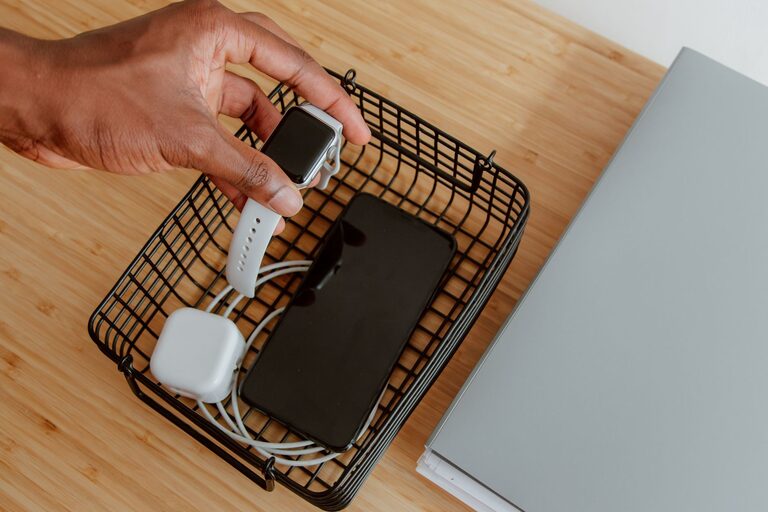











Keeping cables and chargers organized can transform your living or working space from chaotic to calm. Whether you have a drawer full of tangled cords or piles of chargers scattered around, a little organization can make a big difference. In this post, we’ll explore practical, easy-to-follow methods to neatly manage your cables and chargers, helping you maintain a clutter-free environment.
Why Organizing Cables and Chargers Matters
Messy cables are more than just an eyesore. They can:
– Cause frustration when trying to find the right charger or cable
– Increase the risk of damage to cords and devices
– Create tripping hazards or block airflow around electronics
– Make cleaning difficult
By organizing your cables and chargers, you save time, protect your equipment, and enhance your workspace’s appearance.
Assess Your Cable and Charger Collection
Before diving into organization, take stock of what you have:
– Gather all your cables and chargers in one place.
– Sort them by type: phone chargers, laptop cables, USB cords, HDMI cables, etc.
– Identify duplicates or cables you no longer use and consider recycling or donating them.
– Check for damaged cables that may need replacement.
Once you know what you have, you can decide on the best storage and organization system.
Simple Cable Management Tools You Can Use
Several accessories help keep cables tidy:
– Cable ties or Velcro straps: Reusable, affordable, and perfect for bundling cables.
– Cable organizers or clips: Attach to desks or walls to hold cables in place.
– Cord boxes: Hide excess cable length and chargers inside a neat container.
– Drawer dividers or small containers: Separate cables by type or use.
– Label makers or tags: Identify cables quickly, especially helpful for similar-looking cords.
– Cable sleeves: Combine multiple cables into one neat bundle.
Most of these items are available online or at office supply stores.
Step-by-Step Guide to Organizing Cables and Chargers
1. Untangle and Clean
Start by untangling cords and wiping them down to remove dust or dirt. This makes handling easier and prolongs cable life.
2. Group by Use or Device
Sort cables into groups based on their devices or functions. For instance, keep phone chargers together and separate from video game console cables.
3. Coil Cables Properly
Avoid tight loops that can damage wires. Use the “over-under” method to coil cables:
– Make a loop in one direction.
– The next loop twists in the opposite direction.
– Repeat until the cable is fully coiled.
Secure the coil with a Velcro strap or cable tie.
4. Label Each Cable
Attach labels to both ends of each cable for easy identification. You can write on masking tape or use pre-made cable tags.
5. Choose Storage Solutions
Depending on your space, here are some options:
– Drawer organization: Use dividers or small boxes to separate cables.
– Cord boxes for chargers: Place power strips and chargers inside a box to reduce clutter and protect cables.
– Wall-mounted holders: Mount cable organizers or hooks near your workspace for frequently used cables.
– Portable cases: For travel or on-the-go use, keep cables in a compact tech organizer.
6. Maintain Your System
Periodically revisit your cable organization. Remove cables you no longer use and re-label if necessary. This helps avoid buildup of unused cords.
Tips for Keeping Cables Neat Daily
– When unplugging, coil cables right away instead of tossing them in a drawer.
– Keep a designated spot for charging devices and cables.
– Avoid bending cables sharply near connectors.
– Use shorter cables for devices close to power sources to reduce excess length.
– Invest in multi-port charging stations to minimize multiple chargers.
DIY Cable Organization Ideas
If you prefer a hands-on approach, try these simple DIY hacks:
– Use empty toilet paper rolls to store individual cables vertically in a drawer.
– Wrap cables in fabric scraps tied with elastic bands for a personalized touch.
– Recycle old sunglasses cases or pencil boxes as cable holders.
– Attach magnetic clips to the edge of your desk to hold cables.
These creative solutions can save money and add a unique style to your space.
Final Thoughts
Organizing your cables and chargers doesn’t have to be overwhelming or expensive. With a bit of effort and the right tools, you can reduce clutter, improve safety, and make using your devices more enjoyable. Start small, and soon your cables will be neatly arranged and easy to access whenever you need them.
Remember, a tidy space supports a tidy mind!